
Broadcast Graphics Core
Create and animate lower thirds, tickers, timers, announcements, credits, and logo bugs with tab-based control, live preview, and fast take/hide actions.
Phanda Studios Software
Professional live graphics suite for macOS and Windows with lower thirds, overlays, lyrics/scripture, motion graphics, streaming, and hardware output control.
v1.0.12 production release for macOS; Windows remains on v1.0.11.
Version 1.0.12
App Screenshots
These screenshots are captured from the actual desktop app interfaces, not generic mockups. They show the production workflows operators use during setup and live control.
High-Level User Manual
These sections walk through the current Live Event Grafix interface, including the Live Soccer Grafix workflow that runs inside Live Event Grafix rather than as a separate download.
Live Event Grafix
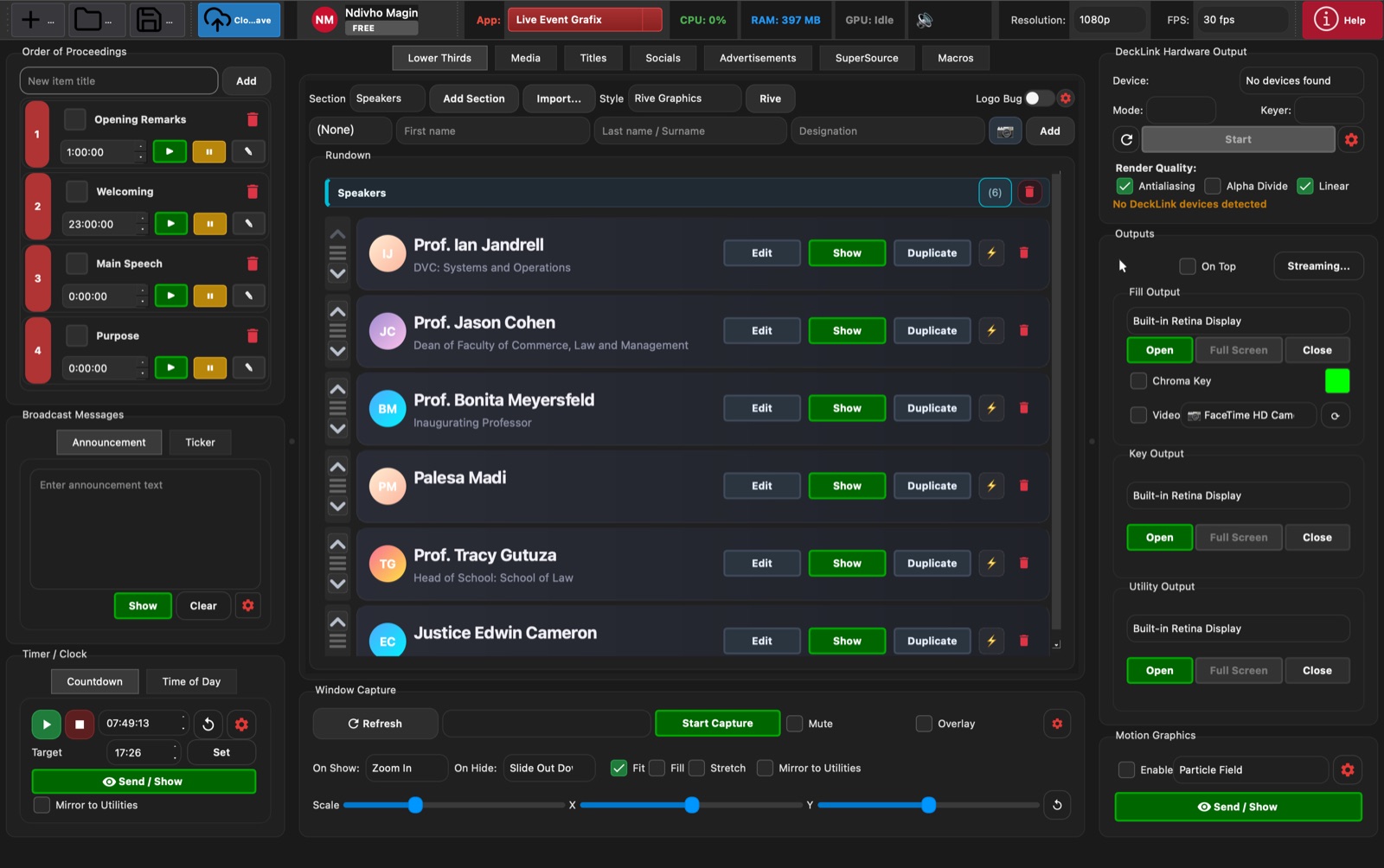
The main Live Event Grafix workspace combines the show rundown, lower thirds, output controls, timers, broadcast messages, capture tools, and motion graphics in one operator view.
Live Event Grafix
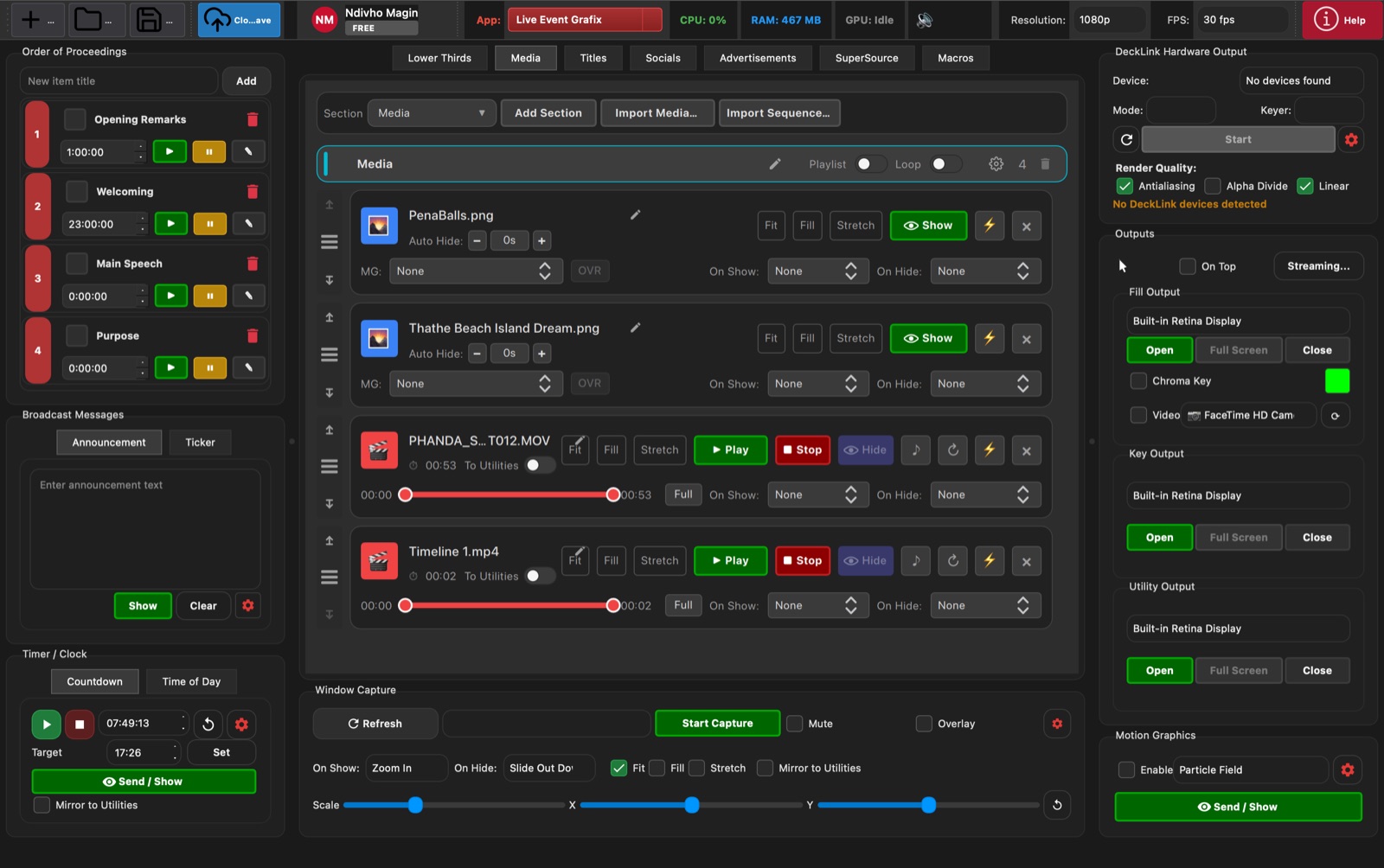
The Media tab manages stills, videos, playlist playback, transitions, scaling, and loop settings for live inserts during an event.
Live Event Grafix
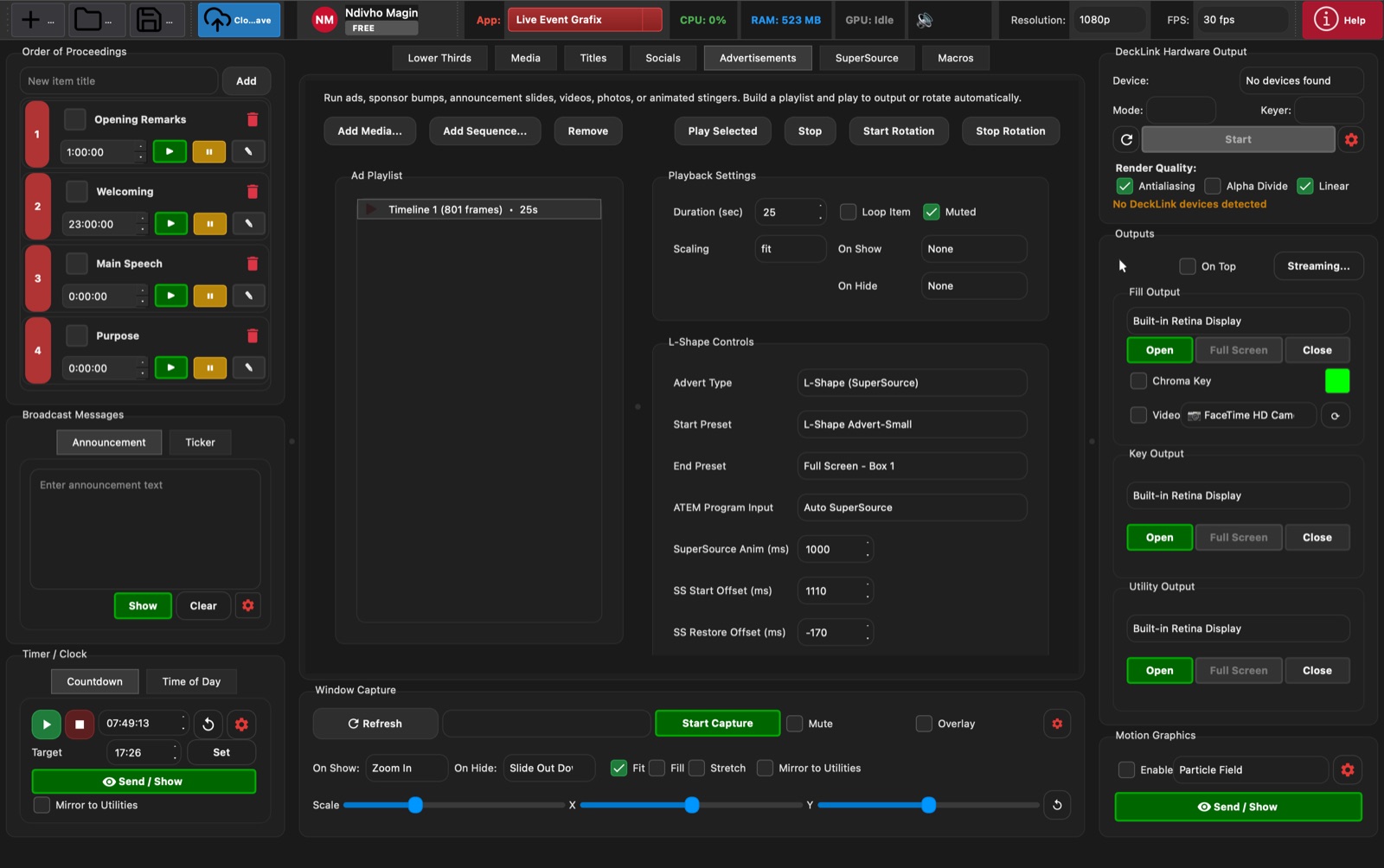
The Advertisements view is built for sponsor spots, ad rotations, custom sequences, and L-shape automation through SuperSource and ATEM timing controls.
Live Event Grafix
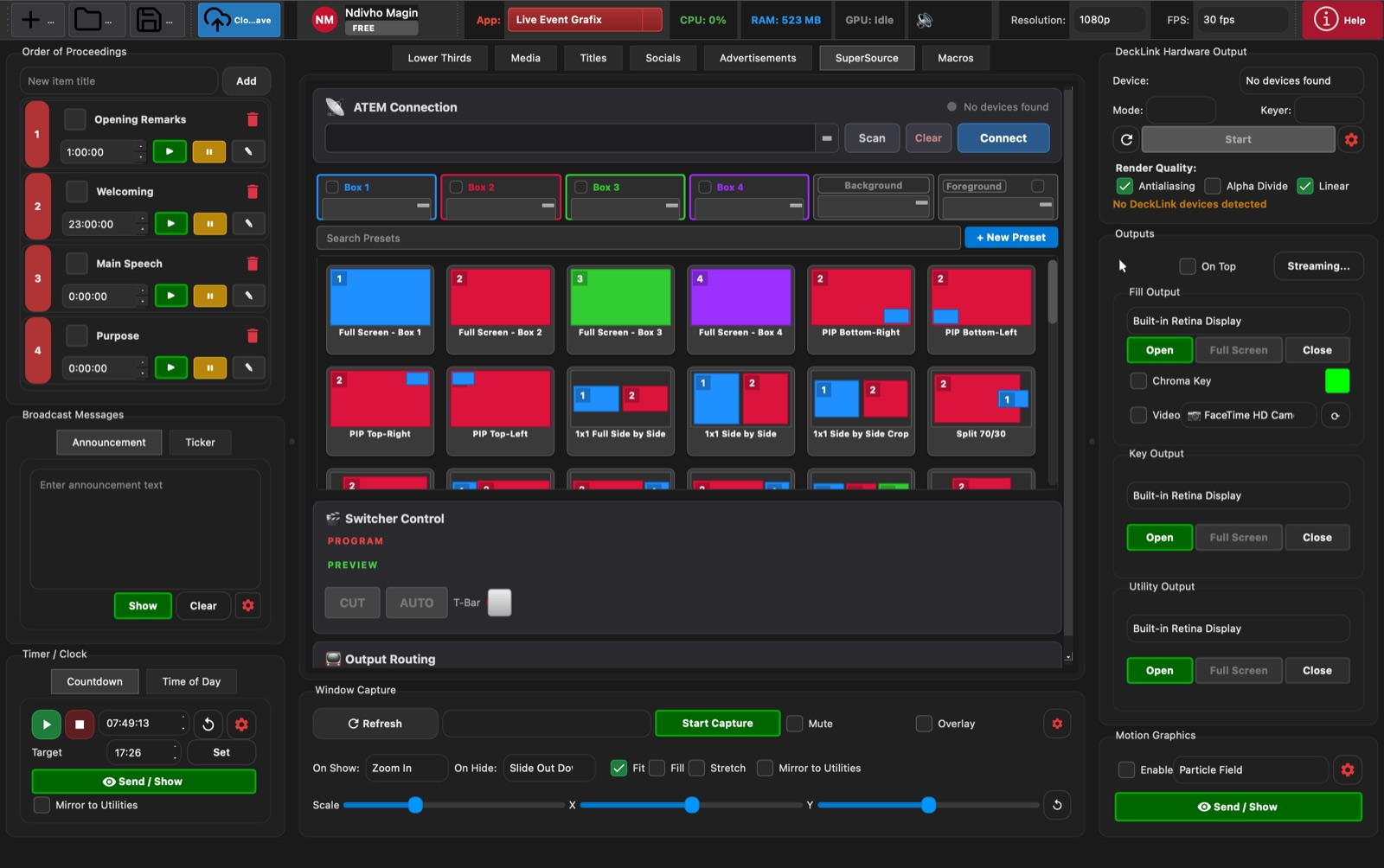
The SuperSource tab controls ATEM connection, box inputs, preset thumbnails, picture-in-picture layouts, switcher cuts, and output routing.
Live Event Grafix
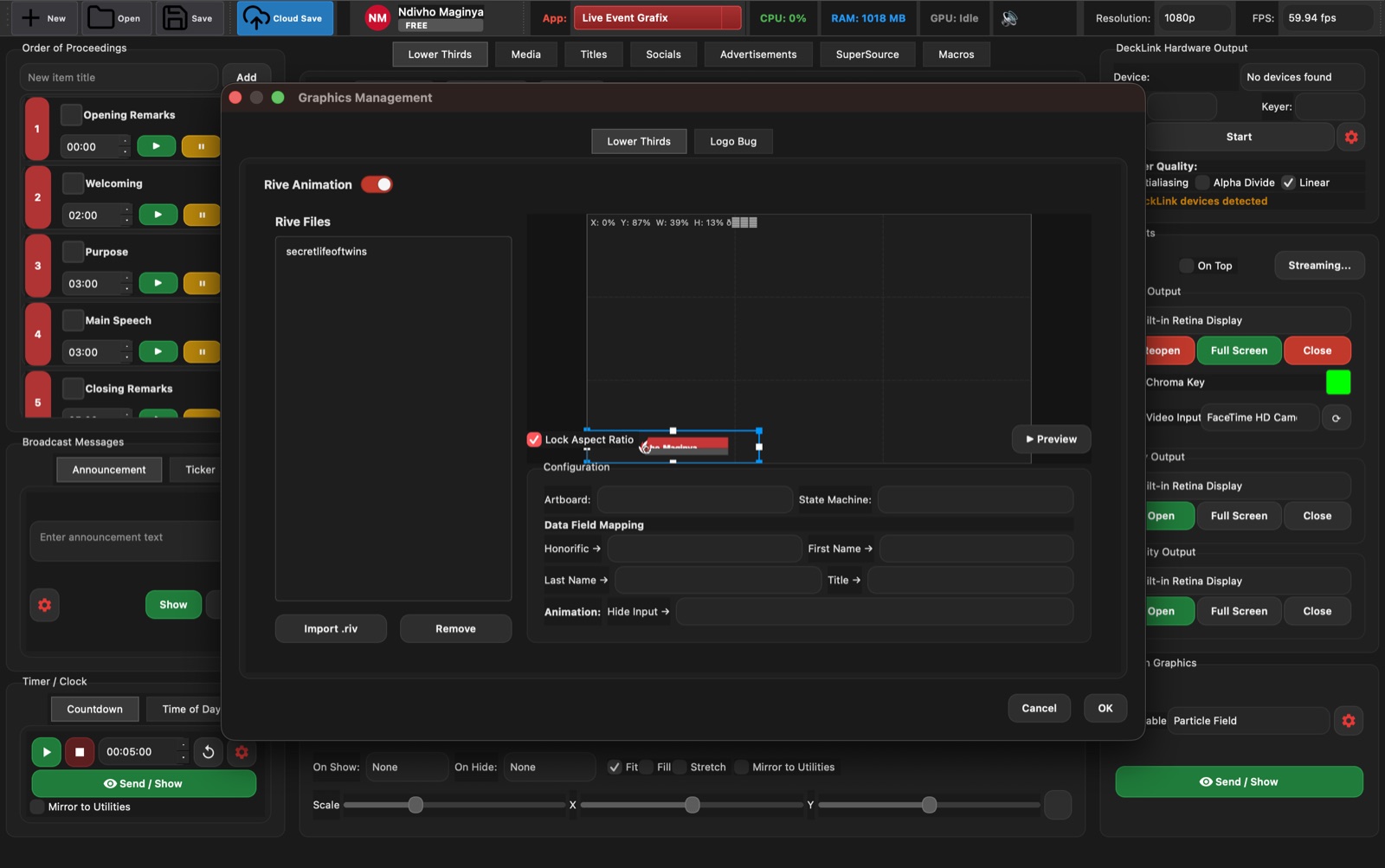
Graphics Management handles reusable Rive-based templates, field mapping, animation setup, logo assets, and positioning for broadcast graphics packages.
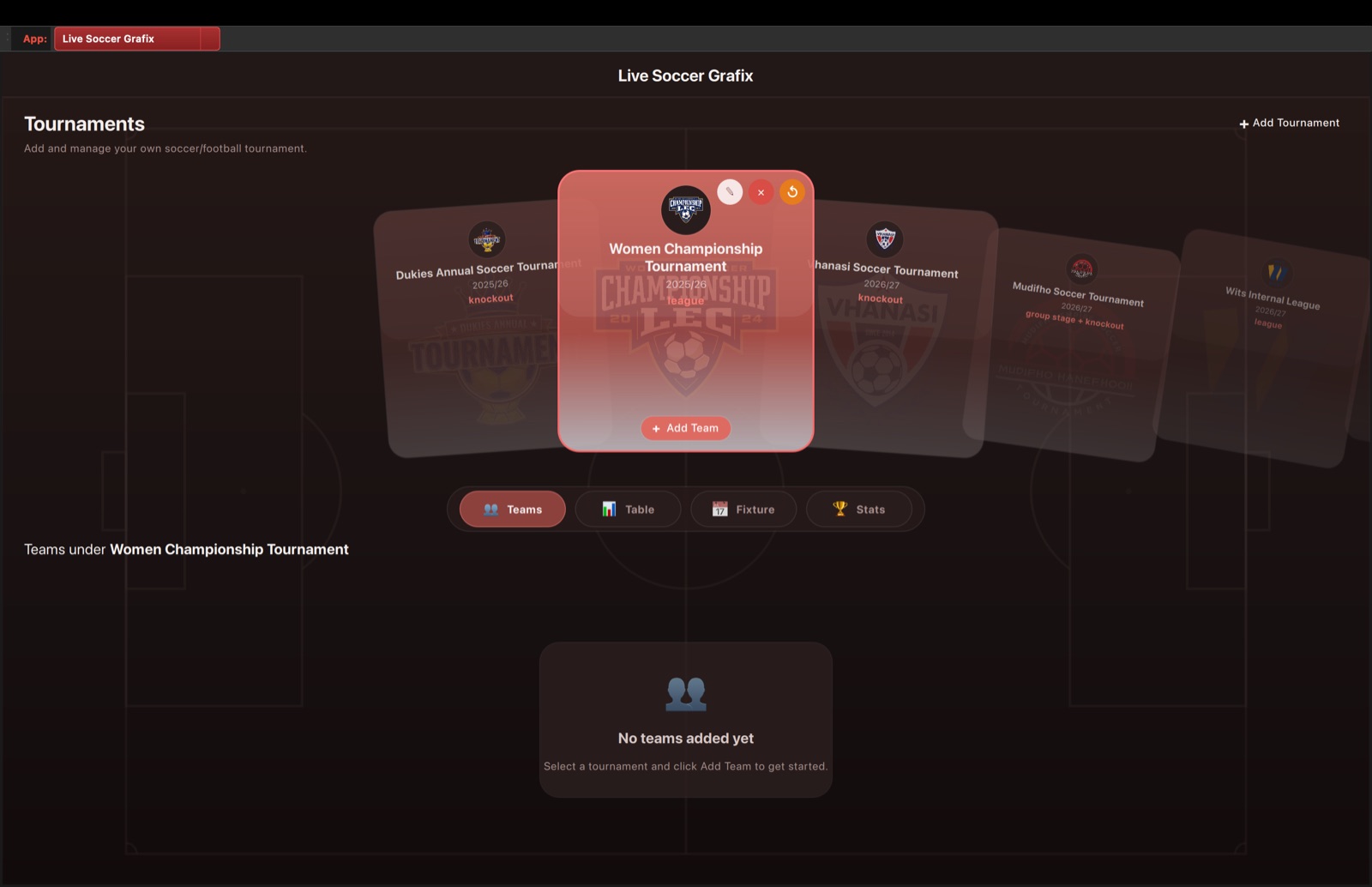
Live Soccer Grafix inside Live Event Grafix
Live Soccer Grafix is launched inside Live Event Grafix from the app selector. The dashboard manages tournaments, teams, league tables, fixtures, and tournament statistics.
Live Soccer Grafix inside Live Event Grafix
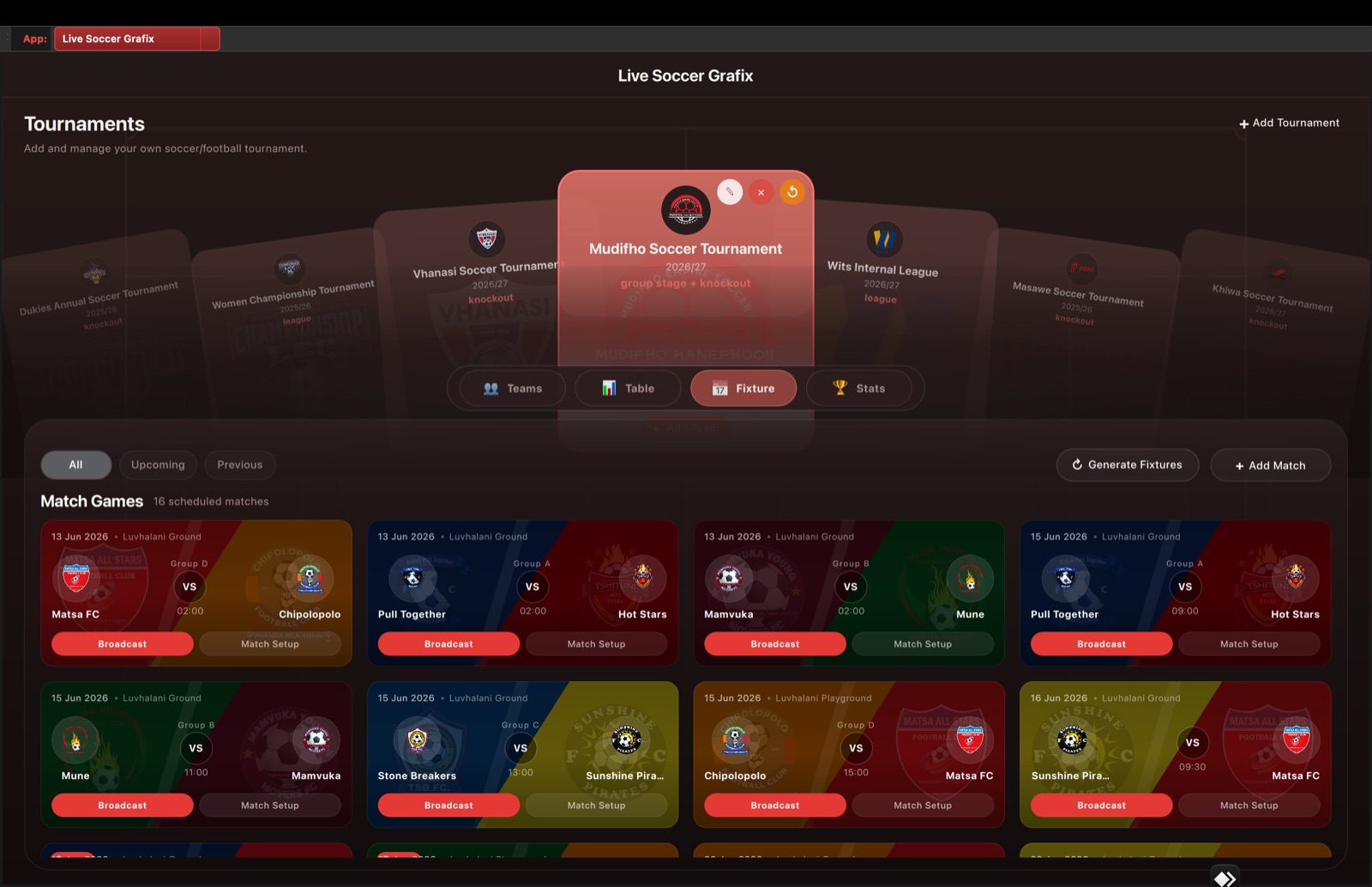
The Fixture view shows scheduled matches, teams, groups, locations, times, scores, and direct actions for Match Setup or Broadcast.
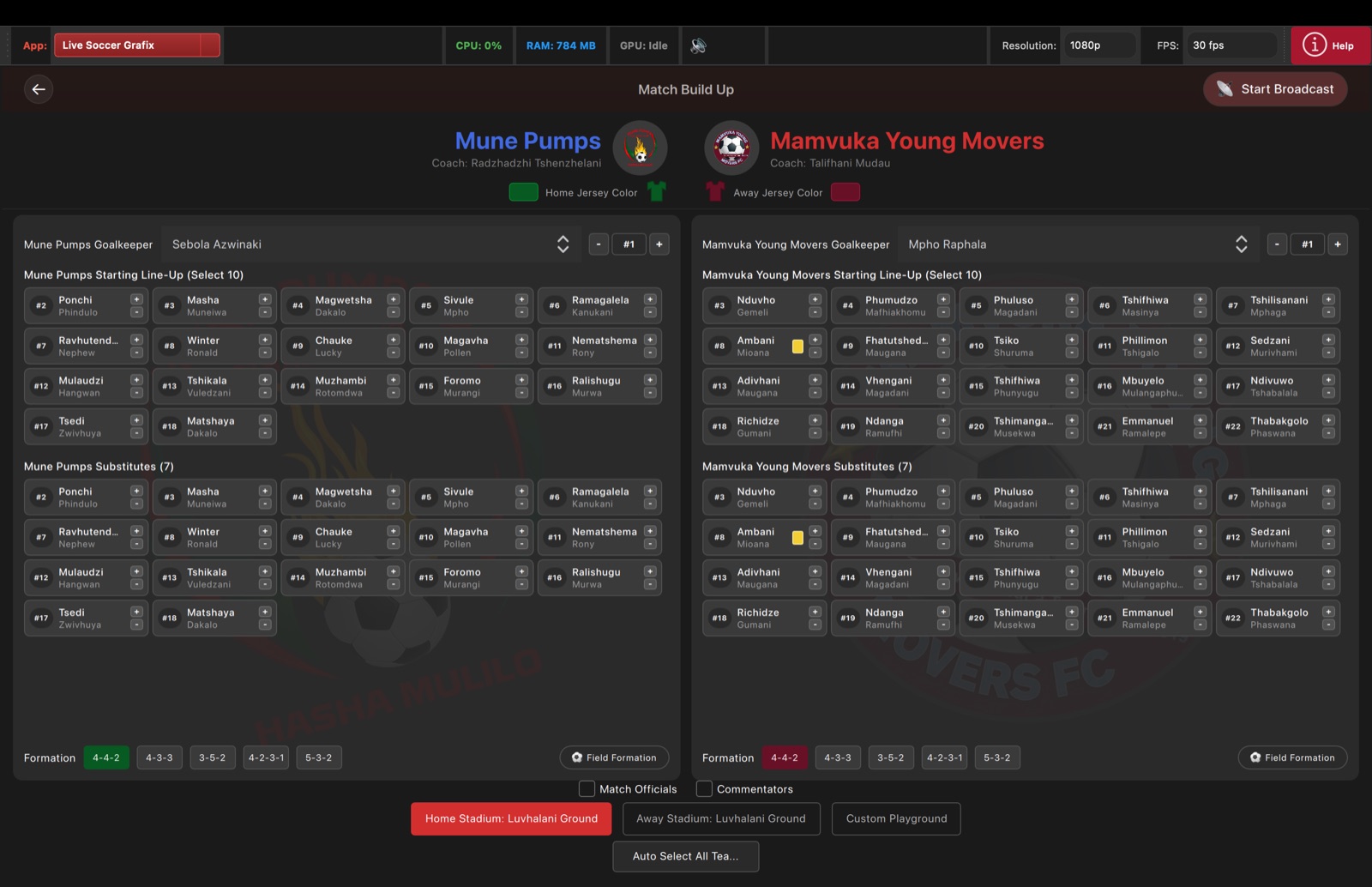
Live Soccer Grafix inside Live Event Grafix
Match Build-Up prepares a specific fixture before it goes live, including goalkeepers, starting lineups, substitutes, formations, jersey colours, officials, commentators, and stadium selection.
Live Soccer Grafix inside Live Event Grafix
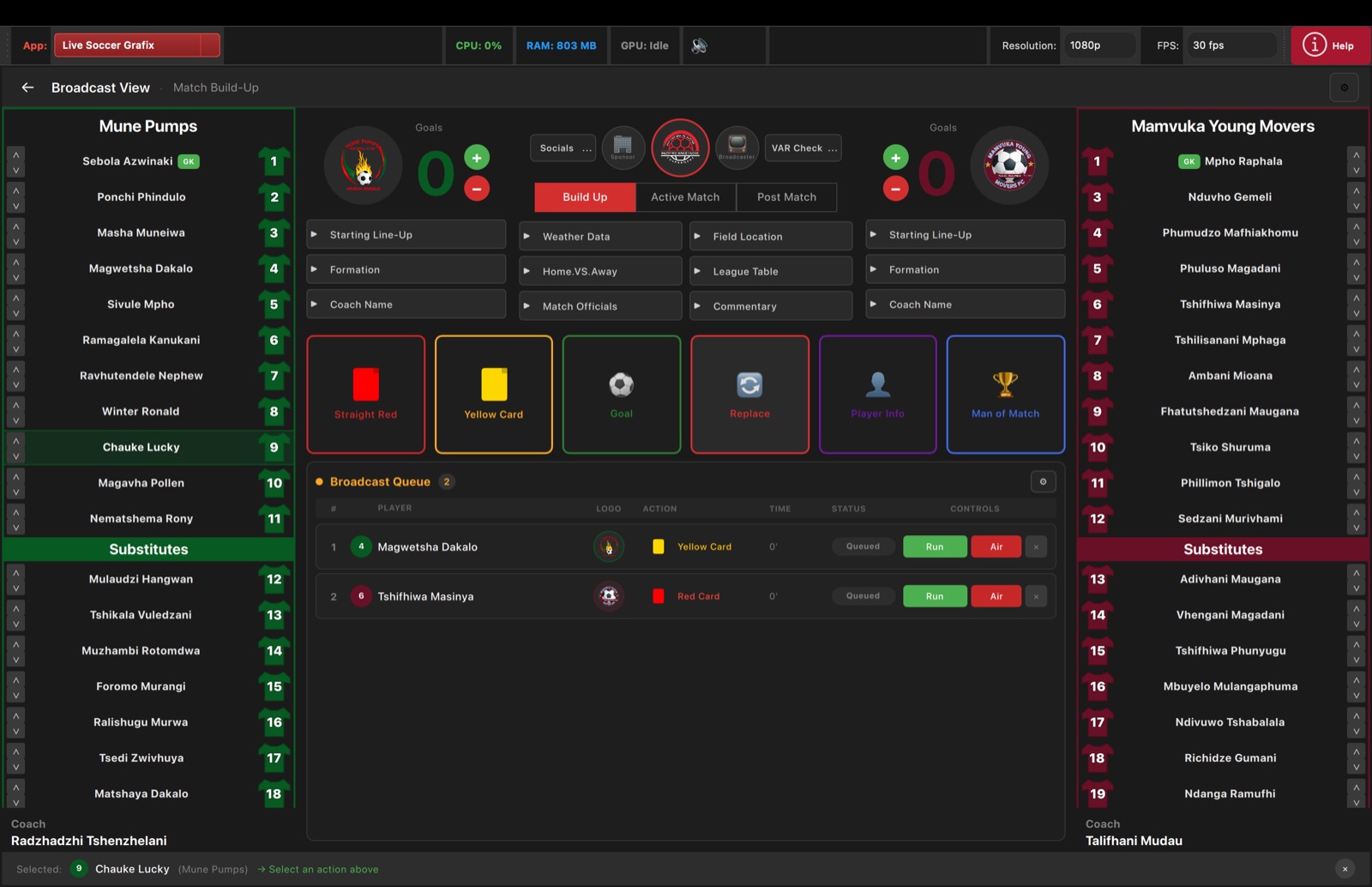
Broadcast View gives the operator live scores, team lists, build-up graphic triggers, match-action tiles, and a queue for running graphics to air.
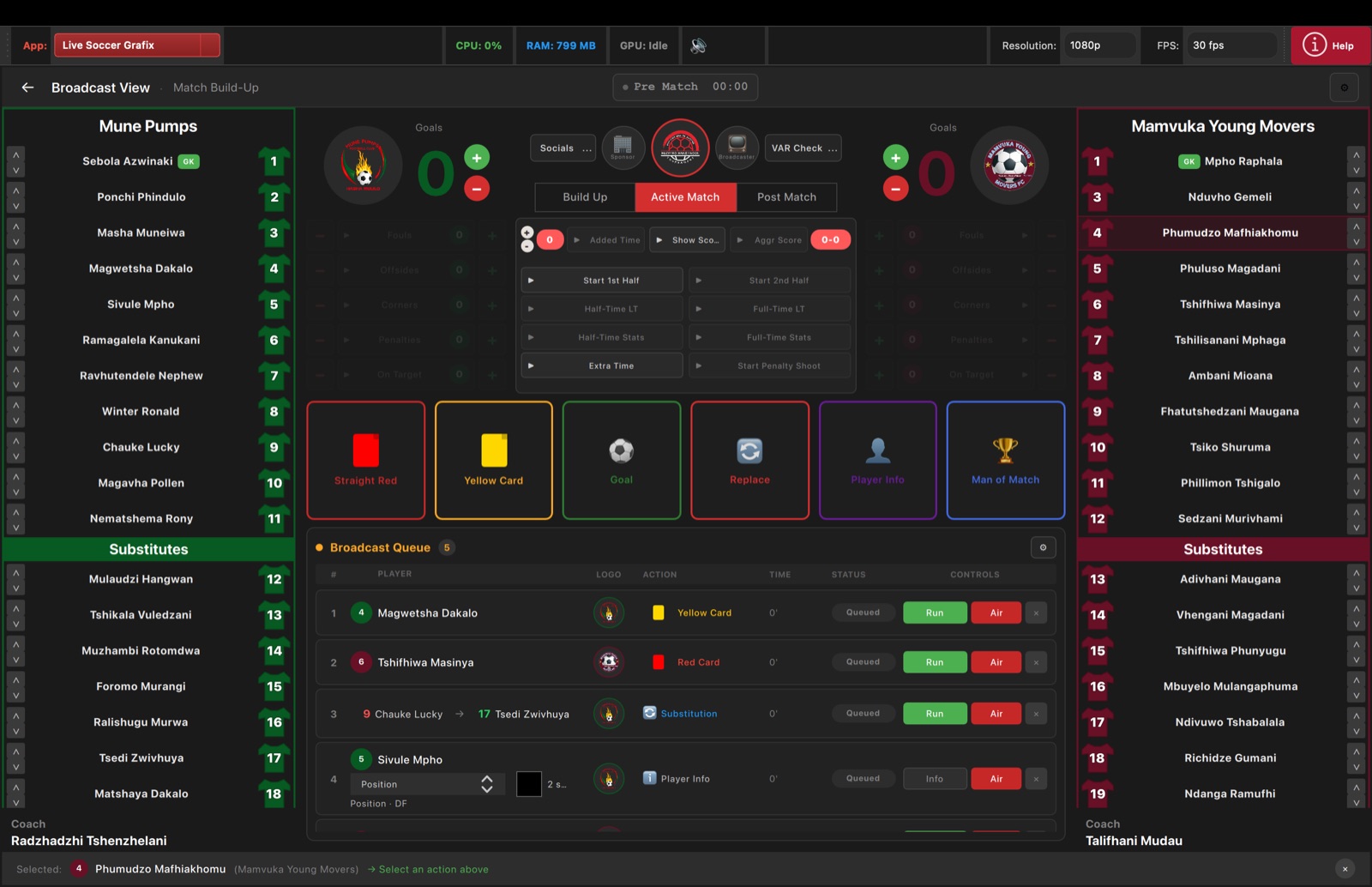
Live Soccer Grafix inside Live Event Grafix
The Active Match tab focuses on the live period clock, score changes, match phases, aggregate score, live stats, action triggers, and the broadcast queue.
What It Does
Live Event Grafix streamlines repetitive operator tasks so shows stay consistent even with lean crews. Here is how the tool works under the hood.
Create and animate lower thirds, tickers, timers, announcements, credits, and logo bugs with tab-based control, live preview, and fast take/hide actions.
Run media playlists, ad rotations, L-shape sponsor layouts, and ATEM SuperSource presets from dedicated operator tabs.
Use the built-in Graphics Designer layer system and motion background workflows to build reusable show packages, then save/load projects for rapid deployment.
Switch into the built-in soccer module for tournament setup, fixtures, match build-up, Broadcast View, Active Match control, and soccer-specific graphics queues.
Drive production through ATEM switchers, DeckLink, NDI, and Syphon, stream via RTMP/SRT, automate with macro banks, and control remotely through WebSocket/REST API.
Feature Highlights
Every release ships with field-tested workflows so your crew can deploy Live Event Grafix without babysitting brittle setups. These are the capabilities teams lean on the most.
Feature 01
Lower Thirds with 112+ Rive animation styles, plus support for custom .riv designs.
Feature 02
Built-in overlays for timers, tickers, logo bugs, announcements, credits, song lyrics, and scripture.
Feature 03
Live Soccer Grafix is included as a module inside Live Event Grafix through the in-app app selector.
Feature 04
Hardware + output workflows with ATEM, DeckLink, NDI, Syphon, Preview/Program control, and RTMP/SRT streaming.
Feature 05
Automation and control via macro banks, WebSocket server, REST API, Sports Mode, and project save/load tools.
Use Cases
The software slots into broadcast, event, and post workflows without forcing new crew structures.
Run presenter IDs, sponsor graphics, timers, and announcements from one interface during conferences, worship services, and live streams.
Switch to Sports Mode for soccer graphics and connected match workflows while keeping standard overlays available for the rest of the show.
Use macro automation, remote control endpoints, and project templates so lean teams can run complex graphics operations consistently.
Release Notes
v1.0.12 production release for macOS; Windows remains on v1.0.11.
Follow the download link for installers, hashes, and changelog context.
Deployment
We support fleet installs, on-site commissioning, and remote onboarding for Live Event Grafix. Enterprise licensing and offline activation are available on request.
Trust
Review the dedicated privacy policy for telemetry controls, retention windows, and how to request data exports for compliant operations.
View Privacy Policy →More Downloads
Specialised soccer scorebug and match graphics workflow included inside Live Event Grafix for association football broadcasts.
A unified media hub that lets clients preview cuts, approve clips, and publish finished edits across mobile, web, and connected players.
Automate camera switching on Blackmagic ATEM switchers using audio follow video, macros, or scheduled cues.